
Ask N-zo Limited Tech Preview FAQs
Your AI Copilot for Faster, Smarter MSP Operations
Ask N-zo is an early-access AI assistant built directly into the N-able platform. It helps you move from questions to answers in seconds by turning natural language into meaningful insights across your environment. N-zo is designed to help MSPs see problems sooner, understand impact faster, and take action with confidence.
What Ask N-zo Does
Ask N-zo understands how MSPs think about their environments. You can ask questions in plain language such as:
- Why is asset [INSERT_NAME] running slowly?
- Can you check any Windows 10 devices and confirm they meet the Windows 11 minimum requirements
- Can you list 10 devices at the client [INSERT_CUSTOMER_NAME] that may need an upgrade and why?
Behind the scenes, Ask N-zo translates your request into queries across your asset data and across our documentation and knowledgebase articles. It then returns focused, actionable answers.
N-zo can save you and your team time
Looking up documentation in N-zo to find out how to run a report
offers up to an 80% speed gain (1)
~4.9x speed factor
Slow device troubleshooting - checking hardware on a device and troubleshooting documentation
offers a 53% speed gain (1)
~2.1x speed factor
Where to Find it
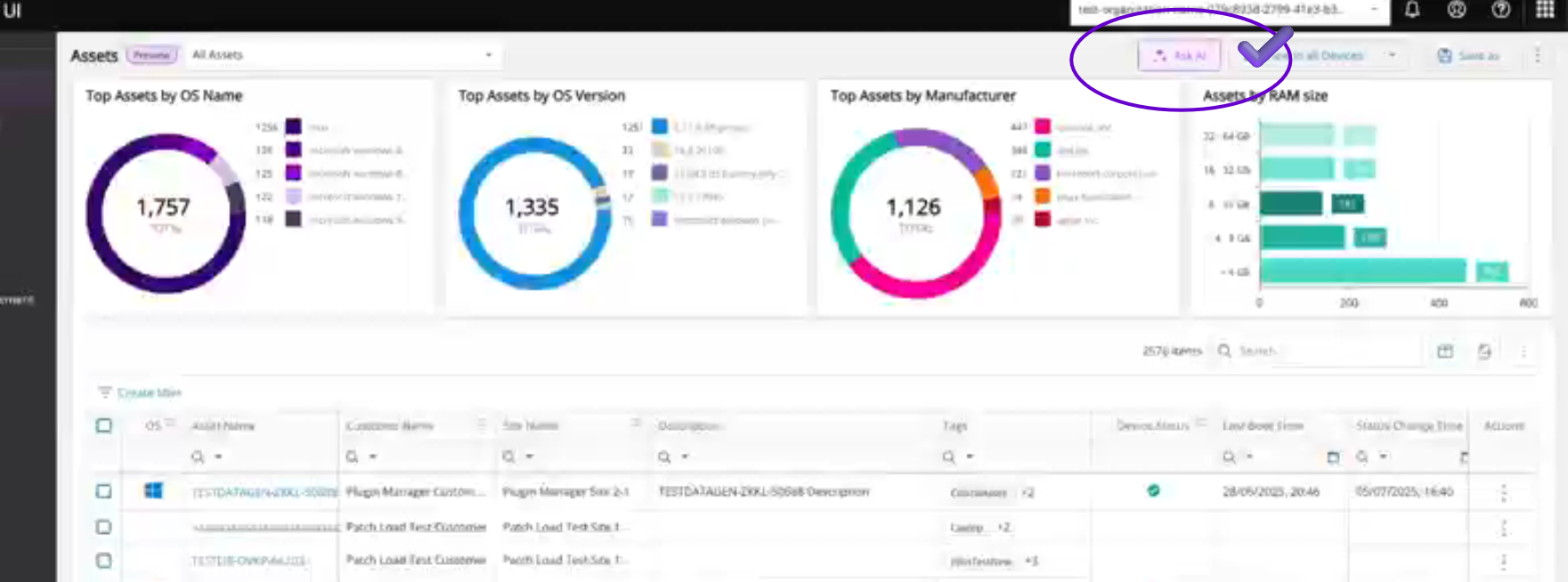
Ask N-zo appears as a slide-out panel on the right side of your N-able dashboard on the Asset page. Select the Ask N-zo icon in the upper right side.
The Ask N-zo panel opens with a welcome message and suggested prompts.
Ask A Question
Clicking Ask N-zo as indicated above will open the Chat Interface. In this interface you can ask questions and request guidance based on product documentation, asset data, and knowledge base articles.
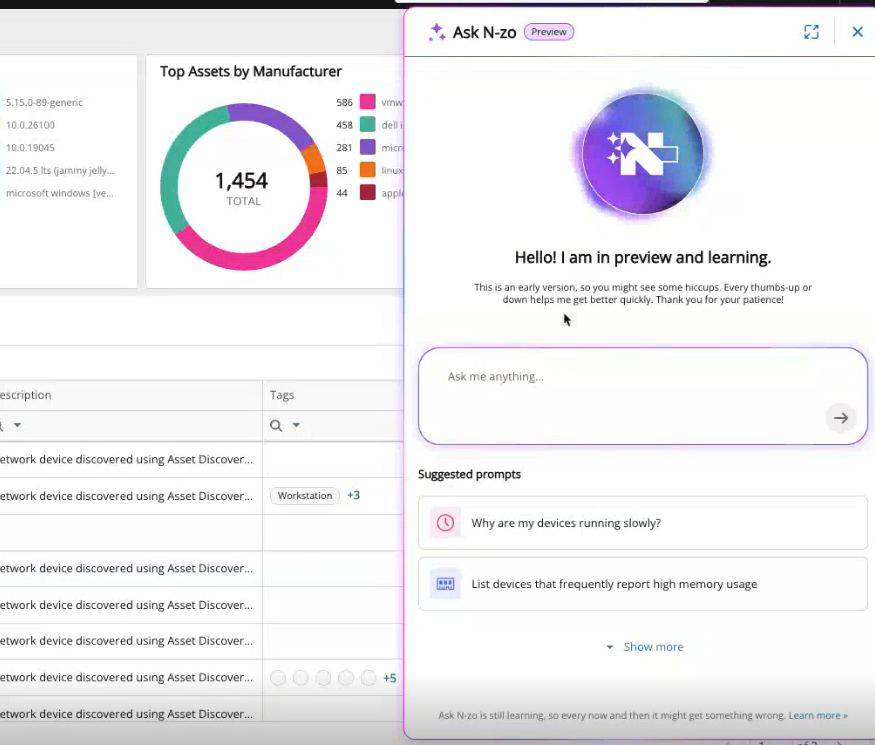
- Click into the input box labeled Ask me anything…
- Type your question in natural language.
- Press Enter or select the arrow icon to submit.
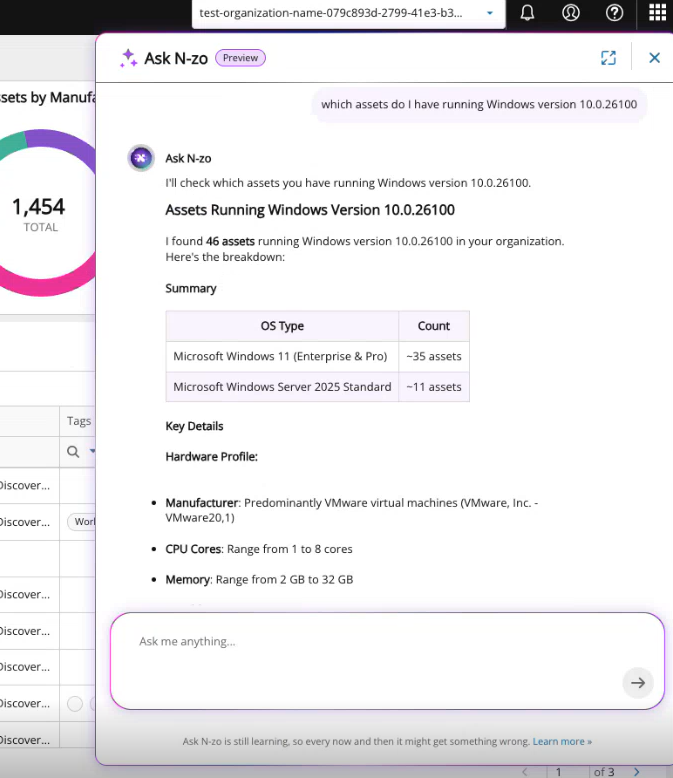
Upon clicking the arrow, your request will show on the right hand side of the chat highlighted in light purple as shown below.
The Ask N-zo AI answer will appear left justified on a white background. If you see dots shuttling, it means the AI is processing the request.
Suggested Inquiries to get started:
Ask N-zo anything about N-central or N-sight, assets, or troubleshooting. Start with the sample questions below, then try your own. The more you ask, the smarter our experience becomes.
A Few Questions to Try First
- How can I automate recurring tasks in N-central?
- What reports would show me my device hardware and software details?
- I just got a call from the [CUSTOMER SITE] that their logins are slow. Their server is called [NAME OF SERVER]. Can you see why their server is running slow?
- I am going to brief a team at [NAME OF CUSTOMER LOCATION] tomorrow. Can you give me an executive summary of what is going on with their devices and if I should expect any problems or concerns in my meeting.
- What assets should my team work on today?
- What are the top opportunities to improve this customer’s environment?
- What is wrong with asset [INSERT_NAME]?
- Can you check any Windows 10 devices and confirm they meet the Windows 11 minimum requirements
- Can you list 10 devices at the client [INSERT_CUSTOMER_NAME] that may need an upgrade and why?
- How many devices at [INSERT_CUSTOMER_NAME] are on Windows 11 22631
- Show me the system info for [LIST OF DEVICE_NAMES]
- Do any of the devices at [INSERT_CUSTOMER_NAME] have 2 or less CPU cores?
- Do I have devices at [INSERT_CUSTOMER_NAME] that don't meet the Cove minimum requirements?
- Does removing the agent from a device require a reboot?
- How do I enable Patch Management on one of my assets?
- How would I integrate with Passportal?
- How do I add custom scripts to my devices?
- Show me systems that are under-utilized.
- What permissions should I give to a new user that will be used by a specific client?
- What can I setup integrations for?
- Take Control is failing to connect. What should I check?
List of Asset Details that are available in general Queries
Basic Information
- Total count of results
- ID
- Name
- Description
Operating System - OS name
- OS version
- Architecture
Site - Site ID
- Site name
Service Organization - Service organization ID
- Service organization name
CPU - Number of cores
- CPU name
System Information - Hostname
- Total memory size (in bytes)
- NetBIOS name
- Manufacturer
- Model
- Serial number
List of additional fields which can be directly queried
Metrics - CPU Usage
- CPU percentage over time (last 12 hours, 30-minute intervals)
o Timestamp
o Value
Metrics - Memory Usage - Memory percentage over time (last 12 hours, 30-minute intervals)
o Timestamp
o Value
Other - Last booted at (timestamp)
Fields not available in the detail query (only in list query):
Site
- Site ID
- Site name
Service Organization - Service organization ID
- Service organization name
System Information - NetBIOS name
- Serial number
Other - Total count of results
Understanding the Results
Ask N-zo returns:
- A short explanation of what it found
- A filtered list of devices or customers
- Key metrics such as frequency, trend, or severity
Each result is linked back to the underlying assets so you can continue your investigation.
Resizing the Screen
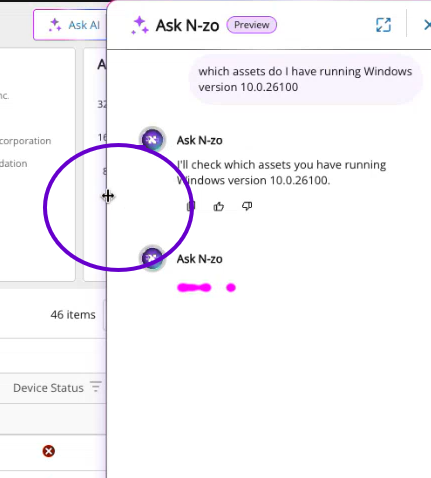
The Ask N-zo screen size can be adjusted by hovering over the left side of the box, pressing the mouse button and dragging the side left or right.
Preview Status and Feedback
Ask N-zo is currently in Preview.
This means:
- You may see incomplete answers or small inconsistencies.
- Not all data sources are connected yet.
- Some queries may return partial results.
- The performance may be slow.
Your feedback directly improves the system.
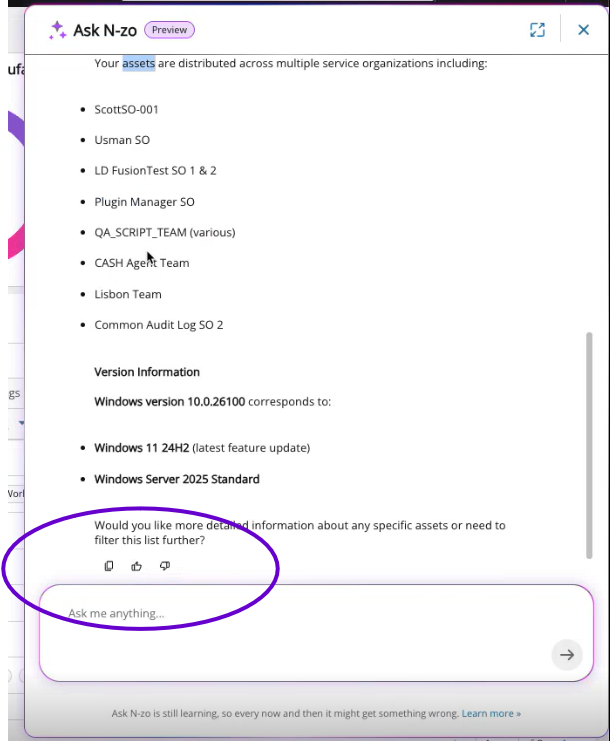
After each response, use the thumbs-up or thumbs-down icons to let us know how helpful the answer was. These indicators can be found after each answer:
Reporting Issues and Requesting Features
Please keep asking questions, this is how we will identify the functionality to build and improve.
Should you encounter something and need to report bugs, unexpected behavior, or feature requests, please use the following form: 👉 https://forms.office.com/r/0ryu773P9D
We review every submission and use it to guide development.
We’re actively collecting:
- The types of questions you ask
- Where and when you ask them
- Thumbs up / Thumbs down feedback
Next Steps
- Experiment with your own queries, anything from troubleshooting errors to asset management. Ask follow-ups, N-zo can handle context.
- Share feedback: What worked? What surprised you? What would you improve?
- If you hit a snag, enter in a ticket, please! 👉 https://forms.office.com/r/0ryu773P9D
What Ask N-zo is Not
It does not yet execute remediation actions.
It does not replace your existing monitoring or alerting.
It is not a reporting engine. It is a reasoning layer across your data.
Ask N-zo Limited Preview Legal Disclaimer
N-able implements AI-powered features across its products to enhance functionality, efficiency, and user experience. By using the Ask N-zo limited preview feature, you consent to the processing of any data you submit through N-able’s Ask N-zo Preview as described in our Subprocessor List (https://assets.n-able.com/m/2149a56717236af3/original/Subprocessors.pdf).
Our technical and organizational security measures apply, and your data will never be used to train any large language models (LLMs). All inputs and outputs remain private and are not shared with third parties or used to improve external systems.
By using the feature, you also agree that any data you submit as part of the Ask N-zo Preview may be kept for one year in N-able’s secure, private AWS environment for the purpose of refining prompts.
FAQs
N-zo Security & Data FAQs
N-zo is designed to be private by default, isolated per customer, and protected by N-able’s existing security controls. Your data stays yours. It is not shared, not sold, and not used to train public AI models.
Will other MSPs see my data?
No.
Your data is private to your organization. Inputs and outputs from N-zo are not shared with other MSPs and are not exposed across tenants.
Is N-able training a public AI model using my data?
Your data is never used to train public or external large language models. N-able does not use N-zo inputs or outputs to improve third party systems or models.
Is my data at risk when I use N-zo?
N-able applies the same technical and organizational security measures to N-zo that protect the rest of the N able platform. All inputs and outputs remain private and protected within N-able’s controlled environment.
Where is my data processed or hosted?
Data submitted through N-zo is processed within N-able’s secure, private AWS environment, collocated with your existing data, using approved subprocessors listed in N-able’s Subprocessor List. This can be found here: Legal - N-able
Is my data shared with third parties?
No.
N-zo inputs and outputs are not shared with third parties and are not used to improve external systems. Processing is limited to N-able’s approved infrastructure and subprocessors.
Does N-zo take actions or make changes in my environment?
N-zo does not execute remediation actions. It does not make changes to devices, systems, or configurations without a human oversight and approval.
- Estimated efficiency gains are based on Keystroke-level modelling (KLM). This estimates how long an expert user would take to perform a task vs the time to make the request through N-zo as of March 2026.