
Sharing GraphQL Operations
Learn how to create and share links to specific GraphQL operations
Sharing an operation link makes collaboration easier. It allows team members to access and run the same operation without manually recreating it, saving time, ensuring consistency, and helping with troubleshooting or reviewing operations together.
- Enter at least one operation in the Explorer editor panel.
- Select the Edit Shareable Operation Link Settings button (represented by a share icon) to open the settings dialog.
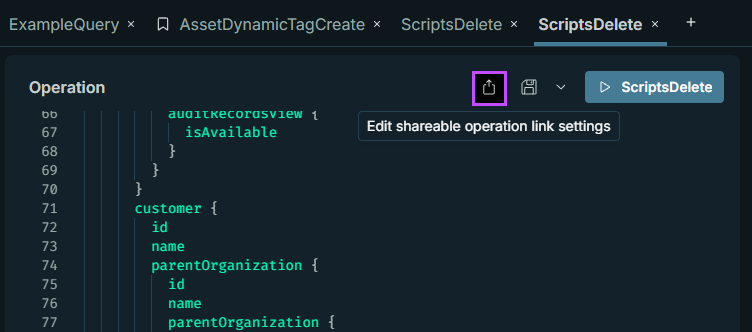
- Choose what to include in the generated link settings:
Heads up!
Use caution when including headers, as they may contain your unique Authorization API token.
Include the pre‑operation and post‑operation scripts only when they are defined in the operation.
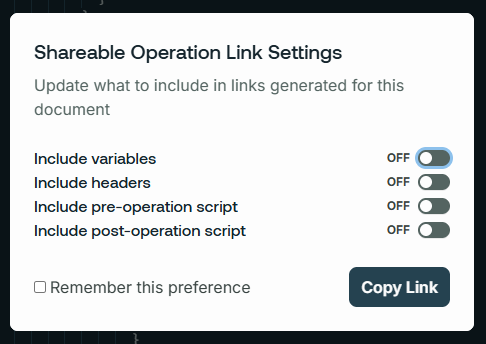
- (Optional) Select Remember this preference to save these settings for future links.
- Choose Copy Link to generate and copy the shareable link.
- Share the link with team members.
The link opens N-able GraphQL Explorer with the operation pre-populated and ready for the team member to run.
The operation in the shared link is static, so any changes made to the original operation are not reflected in the shared version. If you update the operation later, generate and share a new link to ensure team members have the latest version.
Updated 3 months ago
Did this page help you?